
Qualcomm Snapdragon QCS6490 provides on-device AI computing capability within the G20 camera system.
Golfeye G20 · System Architecture
How Golfeye G20 AI Works
A connected camera-and-App system built around on-device AI compute, optical imaging, motorized stabilization, motion sensing, and structured golf capture workflows.
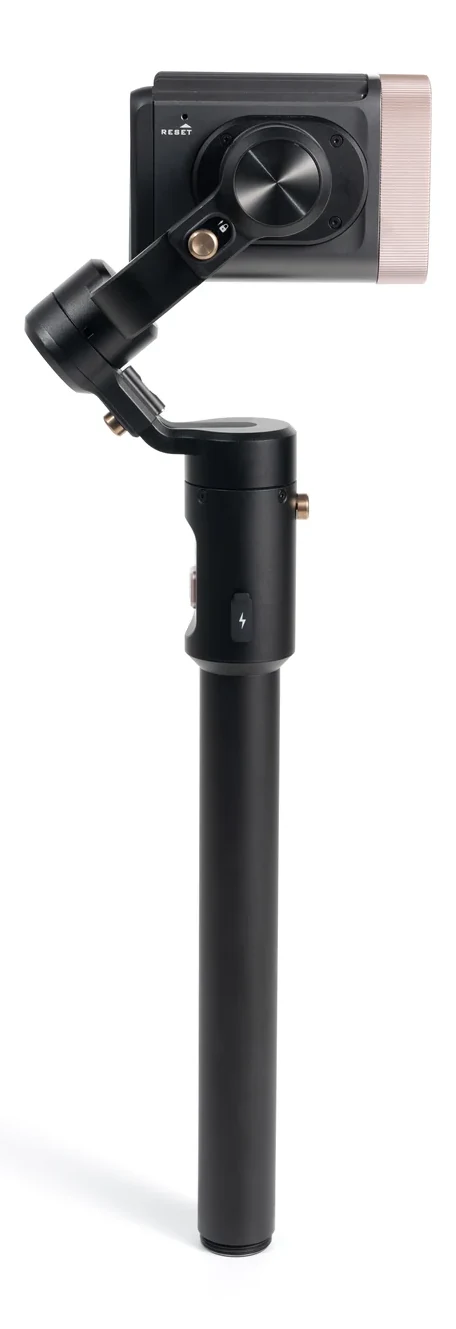
G20 core architecture
Compute, imaging, motion, and control in one platform.
The following architecture is based on the Golfeye G20 technical dossier and the current Golfeye App workflow.
The long-range optical module uses an 18× optical zoom lens and MIPI imaging interface.
Three axes and three motor locks support controlled camera orientation and stabilized capture.
Independent GPS, a three-axis accelerometer, and a three-axis gyroscope provide position and attitude inputs.
A 2.08-inch 410 × 480 AMOLED capacitive touchscreen plus Power, REC, and reset controls support local operation.
Wi-Fi 6, Bluetooth, the Golfeye App, USB-C, and Micro SD support setup, control, media, and service workflows.
Golfeye App workflow
From camera preparation to content delivery.
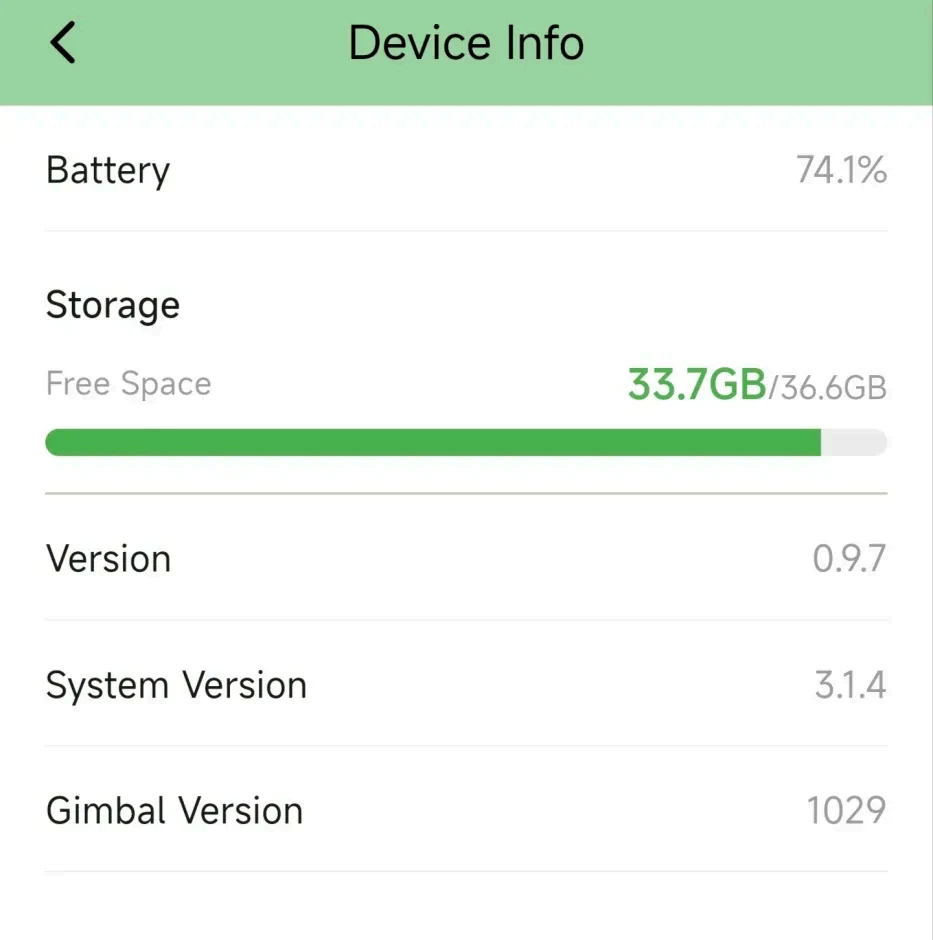
01
Connect & prepare
Enable Wi-Fi and Bluetooth, connect G20 in the App, and review battery, storage, firmware, and device status.
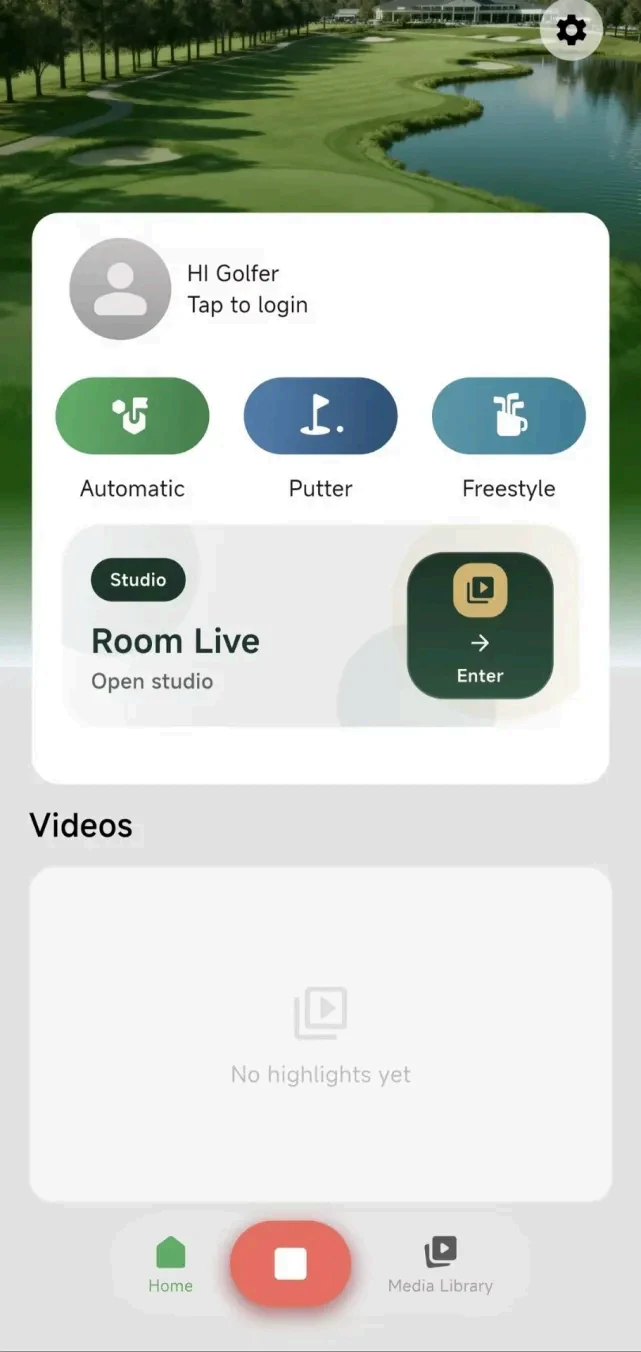
02
Select a capture mode
Choose Automatic for standard golf shots, Putter for green scenarios, or FreeStyle for flexible capture.
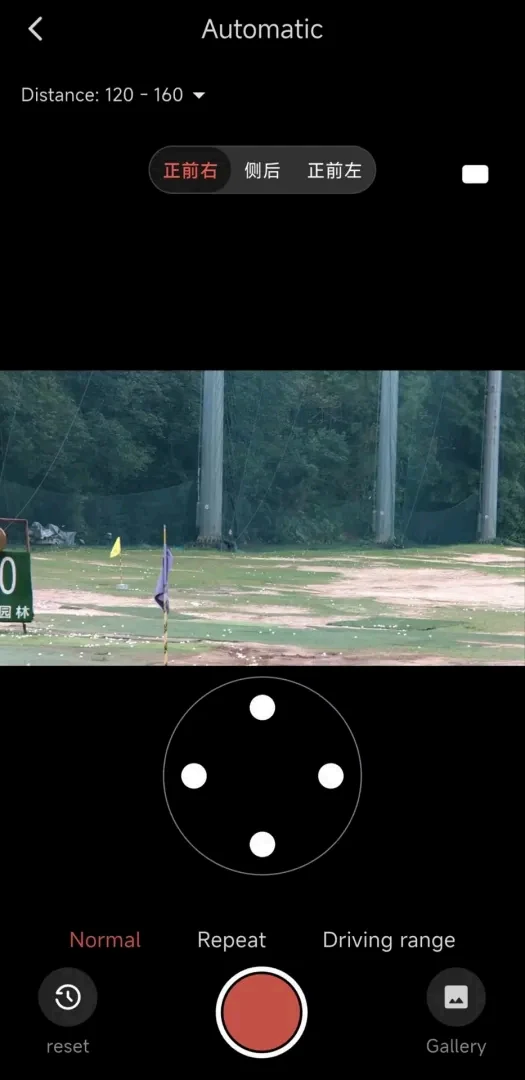
03
Preview & capture
Use the live preview to verify framing and use App recording controls where manual operation is required.
04
Manage & deliver
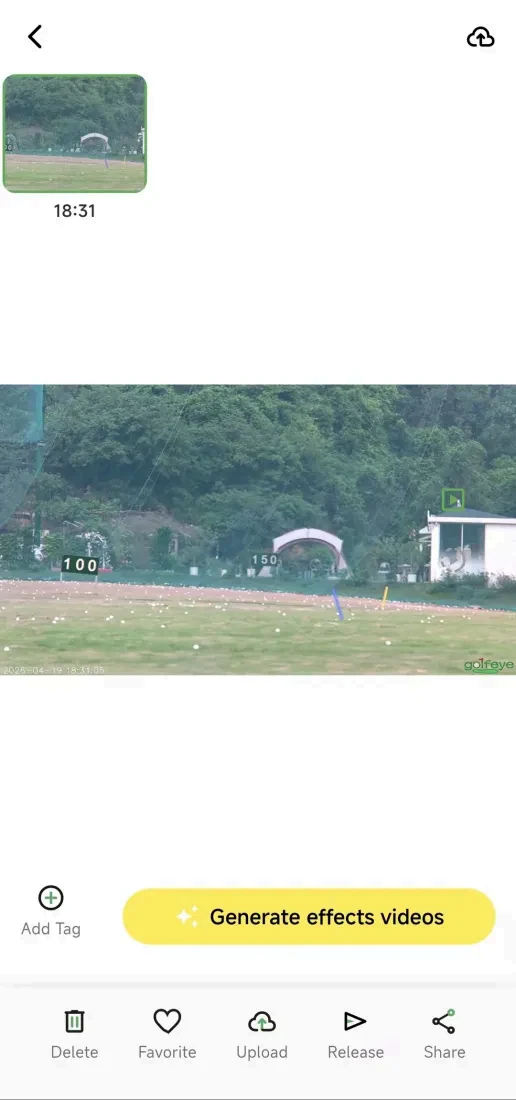
Browse and download recordings, add tags or effects, edit, export, share, automate highlights, or create live and replay rooms.
Three recording modes
Select the capture path for the golf scenario.
The supplied camera and App manuals document three modes available from the device touchscreen and connected App.
Automatic
Default workflow for driver, woods, irons, and wedges, with site placement validated for the intended shot direction.
Putter
Dedicated putting workflow with the device positioned outside the green and the lens aligned to the ball and putt direction.
FreeStyle
Flexible capture for custom angles, snapshots, and scenarios that do not use the standard Automatic or Putter setup.
Automated delivery & live viewing
Move from new recordings to highlights, cloud delivery, and shared rooms.
These workflows belong to the connected technology layer and should be tested with the current App, firmware, phone, network, permissions, and commercial plan.
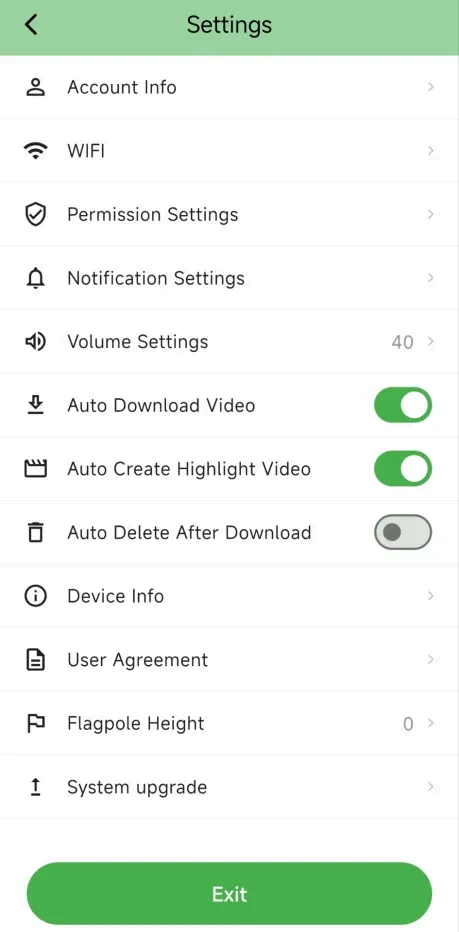
Automatic content
Download, create highlights, and upload
The App manual documents optional Auto Download Video, Auto Create Highlight Video, and Auto Upload to Cloud settings. Enable only the functions required by the facility workflow and validate their results before rollout.
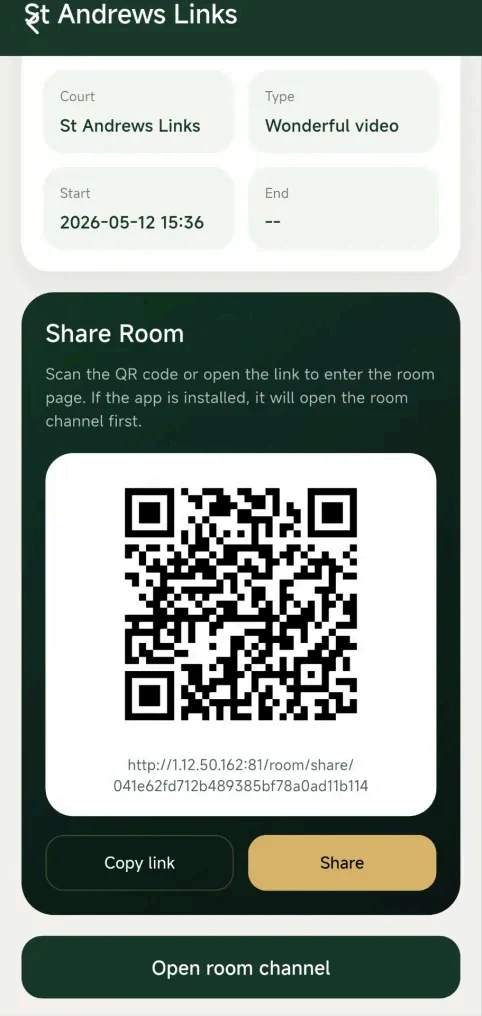
Live & replay rooms
For tournaments, training, and remote observation
Create a room from all uploaded videos or generated highlights, then share access by link or QR code. Viewers can choose Live Mode for new uploads or Replay Mode for historical clips.
Live-session requirementsKeep the operating phone connected to G20, nearby and awake; maintain mobile data; enable Auto Download Video; and enable automatic highlight generation when the selected room depends on highlight videos.
What “Edge AI” Means for G20
Edge AI means computing capability is located inside the device rather than relying only on a remote server. For G20, the confirmed hardware foundation is the Qualcomm Snapdragon QCS6490 with 12.5 TOPS of on-device AI compute.
The current technical dossier does not document the exact neural-network architecture, individual algorithm stages, per-stage processing time, end-to-end latency, or a guarantee that every feature operates without a phone or network connection.
G20 should therefore be presented using its confirmed platform and App workflow, while detailed algorithm performance is validated against the final firmware and intended deployment scenario.
ConfirmedQCS6490 and 12.5 TOPS on-device compute
Confirmed4 GB + 64 GB system configuration in the dossier headline
Confirmed18× optical imaging, three-axis gimbal, GPS/IMU
ValidateAlgorithms, processing latency, output accuracy, and firmware-specific behavior
Connectivity & data flow
Documented G20 connection paths.
Connectivity should be planned around the specific App, cloud, and live-room features used by the facility.
Independent dual-band Wi-Fi module supporting Station and Hotspot modes.
Independent Bluetooth module used during the G20 connection and preparation workflow.
Device status, preview, recording, media downloads, editing, sharing, automation, and room management.
64 GB eMMC system storage plus one hot-swappable Micro SD slot.
Supports charging, gimbal upgrades, and engineering diagnostics.
Keep the phone connected to G20, nearby and awake, maintain mobile data, and enable the required automatic settings.
Confirmed Capabilities vs Items Requiring Validation
| Area | Current G20 Documentation | How to Present It |
|---|---|---|
| On-device compute | QCS6490 · 12.5 TOPS | Confirmed G20 platform specification |
| Capture workflow | Automatic · Putter · FreeStyle | Confirmed Golfeye App modes |
| App media workflow | Download, tag, edit, export, share | Confirmed in the current App manual |
| Automation | Auto download, highlights, cloud upload | Optional App settings; test before rollout |
| Live / replay rooms | Link and QR-code access | Confirmed workflow with stated phone and data requirements |
| Fully offline operation | Not stated in the current dossier | Do not promise full offline functionality without firmware validation |
| Processing latency | Not stated | Do not publish 2–3 second or zero-latency claims |
| AI algorithm pipeline | Not detailed | Confirm model stages and outputs with engineering |
| Cloud fees / subscriptions | Not stated | Confirm the commercial plan before making cost claims |
Frequently Asked Questions
Golfeye G20 uses the Qualcomm Snapdragon QCS6490 platform with 12.5 TOPS of documented on-device AI computing capability.
The dossier confirms on-device compute and Wi-Fi Station/Hotspot modes, but it does not guarantee that every camera, App, automation, cloud, and live-room feature operates fully offline. Validate the required workflow with the current firmware.
The current technical dossier does not publish an end-to-end processing time or latency guarantee. Performance should be tested using the production firmware and intended capture scenario.
The dossier specifies 64 GB eMMC storage and one hot-swappable Micro SD slot. The App also documents optional downloads to the phone and automatic cloud-upload workflows.
The App supports device connection and status, capture-mode selection, live preview, recording control, media browsing and downloads, editing, sharing, optional automation, and live or replay rooms.
No. The current dossier confirms the computing platform but does not disclose the neural-network architecture, training data, detection pipeline, per-stage timing, or accuracy metrics.
Evaluate the Golfeye G20 Workflow
Request a demonstration using the current G20 firmware, App version, and the capture scenario planned for your facility.