
Auto-Tracking Golf Cameras for Facilities: A Practical Evaluation Guide
Primary keyword: auto-tracking golf camera for facilities
What “auto-tracking” should mean in practice
The phrase is used broadly. Some products follow a person, some detect a shot event, some create edited highlight clips, and some combine several of those jobs. Buyers should separate camera movement, shot capture, media delivery and ball-flight data rather than assume one label guarantees every outcome.
For a golf facility, the practical question is whether the workflow can reliably create a well-framed clip where and when members actually play. Camera position, sight lines, light, selected mode, network conditions and the app experience all affect the result.
The four parts of a usable workflow
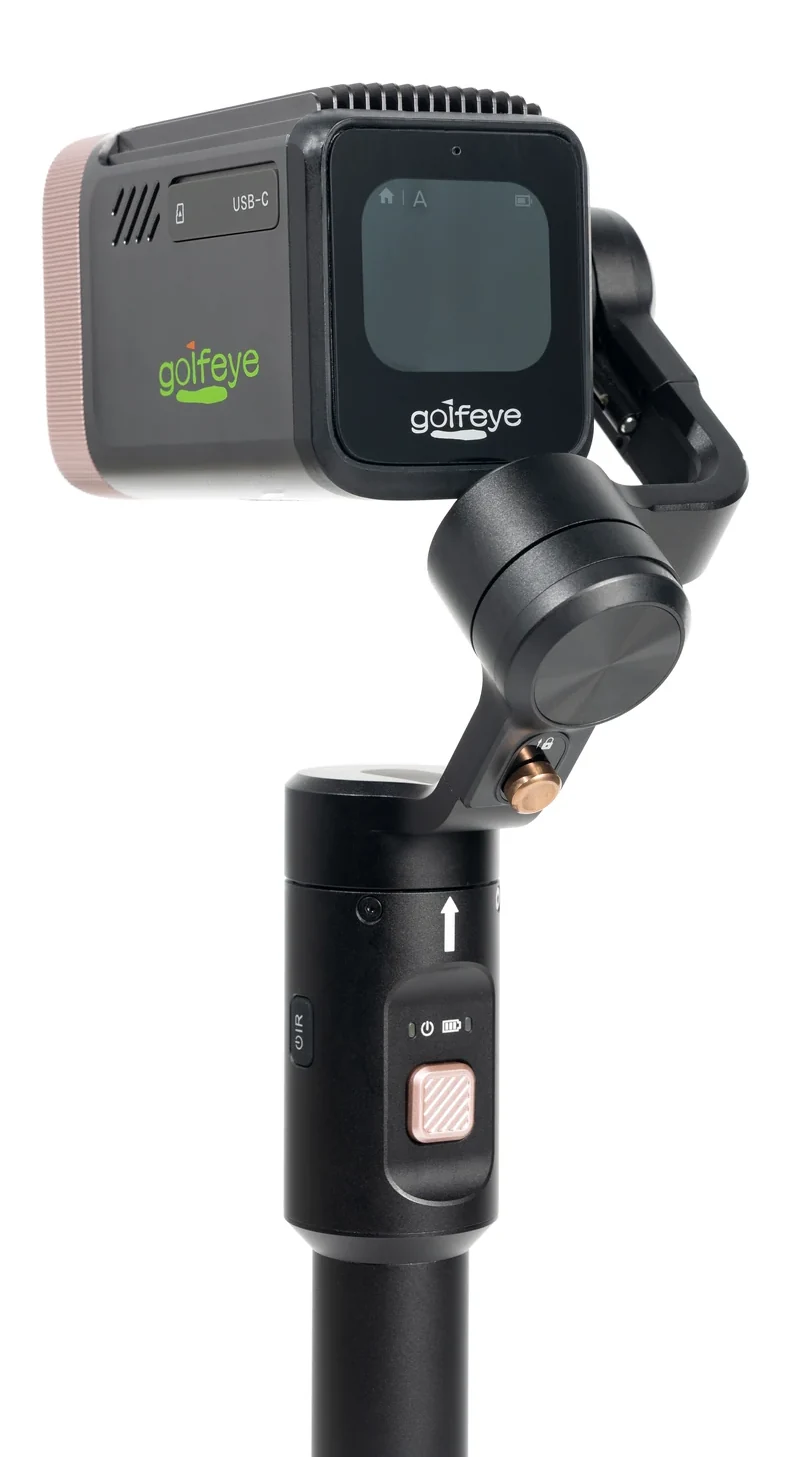
Capture hardware establishes the optical view and stable mounting. A motorized gimbal can support planned framing, while a long-range lens can help a facility compose a scene without placing equipment in play.
The app turns a device into an operating system: preview, mode choice, media review, optional downloads, highlight creation, cloud upload and sharing. Staff also need a repeatable setup and a recovery path when a shot is missed or a phone disconnects.
Questions to ask before you buy
Define the output first: a swing close-up, a full-shot story, a putting view, a lesson clip or a social highlight. Ask whether the product provides measured launch data or is primarily a visual capture system; a camera should not be presented as a substitute for a launch monitor when fitting-grade data is required.
Run a site-specific demonstration. Test placement, normal daylight, representative shots, media handoff and staff operation—not only a polished sample clip.
Where Golfeye G20 fits
Golfeye G20 is designed as a connected outdoor camera-and-app workflow. Its documented Automatic, Putter and FreeStyle modes support standard shots, green scenarios and custom content. The modular camera, gimbal, ground-spike and tripod structure supports portable deployment.
Validate the proposed location, representative shots, app workflow and network conditions before a broader rollout.
Frequently asked questions
Can an auto-tracking golf camera replace a launch monitor?
No. A camera workflow creates and delivers video; use a launch monitor when measured ball-flight or fitting data is required.
What should a facility validate in a pilot?
Test camera placement, representative shots, connectivity, staff operation and media handoff in normal operating conditions.
Evaluate the workflow for your facility
Use the current Golfeye G20 product and App workflow as a starting point, then validate the camera position, operating conditions, connectivity and media delivery process for your own site.