
How Facilities Evaluate Golf Gimbal Cameras for Outdoor Filming
Primary keyword: golf gimbal camera for facilities
Start with the golf shot, not the camera
A driving-range lesson, a course highlight and a putting clip require different framing and placement. List the common shot types before comparing products; a general-purpose vlogging gimbal may look attractive but fail to fit the actual golf workflow.
A gimbal can reduce shake and support a planned frame. It cannot make poor placement disappear, so keep the lens outside expected ball paths and validate the position before use.
Five criteria that matter outdoors
Assess stability and mounting, optical framing at real placement distance, control and recovery, documented power and environmental boundaries, and the app workflow for preview, media organization and sharing.
A facility needs clear status indicators, a quick way to reset framing and a practical procedure for charging, storage and safe transport. Do not infer an IP rating or all-weather capability unless it is explicitly documented.
How G20 should be evaluated
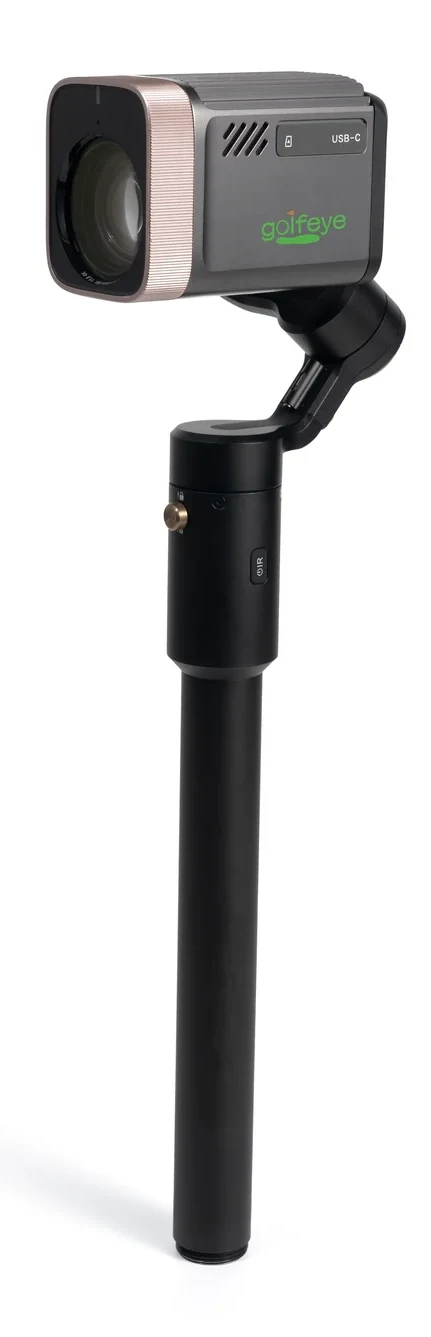
Golfeye G20 combines a three-axis motorized gimbal, 18× optical imaging, touchscreen control and a three-part deployment structure. Its guide documents a camera module, gimbal unit and extension rod with ground spike, plus a tripod option for suitable surfaces.
These specifications make G20 a candidate for outdoor content workflows, but a field trial should still test drivers, irons and green-side shots, operating steps and selected app modes.
A short evaluation scorecard
Can a golfer be framed clearly without the device entering play? Can staff set up, recover and deliver useful media without specialist production skills? Is the result easy for the player or coach to review and use? These questions matter more than an isolated headline specification.
Frequently asked questions
What matters more than a gimbal specification?
The camera must create a safe, repeatable frame for the intended shot and be simple for staff or coaches to operate.
Should a facility rely on a studio demonstration?
No. Run a site-specific test using normal daylight, representative shots and the intended media-delivery process.
Evaluate the workflow for your facility
Use the current Golfeye G20 product and App workflow as a starting point, then validate the camera position, operating conditions, connectivity and media delivery process for your own site.