
Automatic Golf Recording: From Shot Capture to a Shareable Clip
Primary keyword: automatic golf recording for facilities
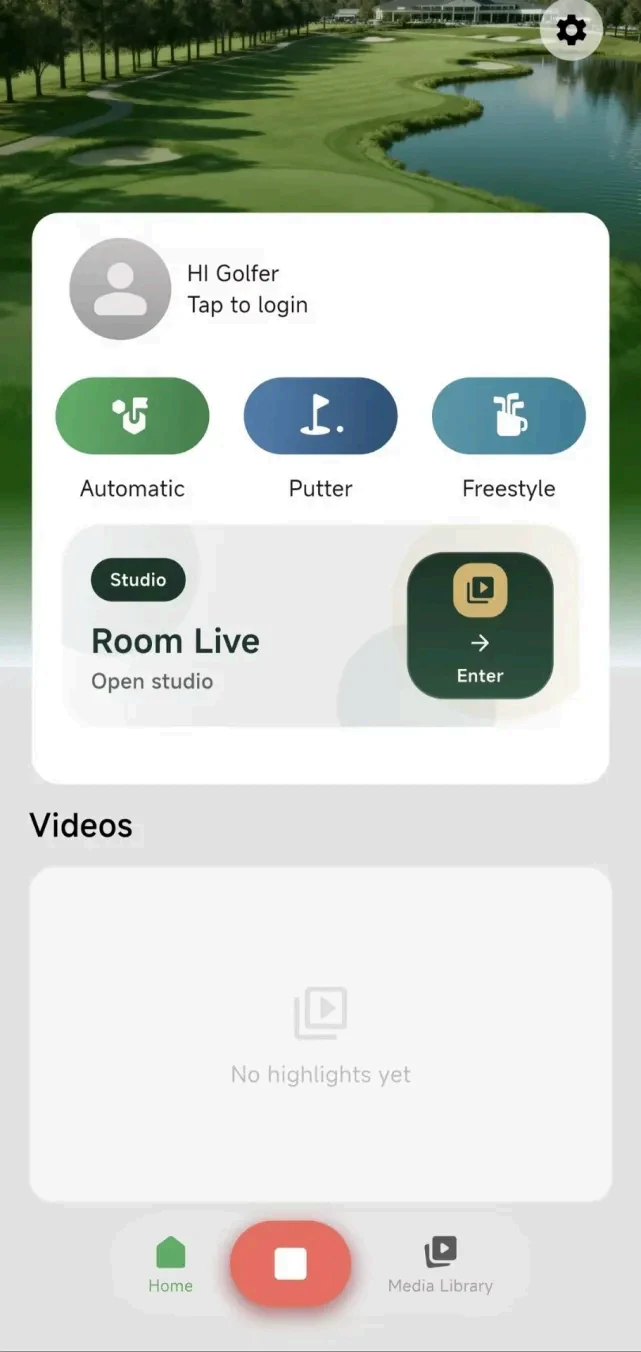
Map the capture journey
Automatic recording is a chain of decisions: stable deployment, power, camera view, phone connection, selected mode, capture, review and delivery. A successful clip depends on the whole chain, not a single button.
Facilities should test the workflow over normal operating days with different golfers, shot types and staff shifts rather than treating one successful demonstration as proof of readiness.
Use modes deliberately
Golfeye G20 documents Automatic for standard golf shots, Putter for green capture and FreeStyle for custom angles. Turn those modes into operating templates with preferred camera position, app steps and recovery actions.
Simple instructions near the unit help prevent common errors such as filming with a locked gimbal, using unsuitable framing or spending too long reviewing at the point of play.
Treat automation settings as pilot items
The app documents optional Auto Download Video, Auto Create Highlight Video and Auto Upload to Cloud settings. Enable them only when each serves a real customer journey, and test their behavior before public launch.
Automation introduces questions about mobile data, phone availability, storage, retention and access permissions. An operating policy matters as much as an app setting.
Measure what matters
Track setup time, staff interventions, usable clips, player feedback, handoff time and connectivity failures. If ball speed, spin, launch angle or fitting-grade measurement is required, use the appropriate tracking technology alongside the camera workflow.
Frequently asked questions
What makes automatic golf recording reliable?
Reliability comes from the entire workflow: stable placement, power, connection, selected mode, capture review and media delivery.
Which automation settings should be enabled first?
Enable only the settings that serve a defined player journey, then test their behavior, data use and ownership before public launch.
Evaluate the workflow for your facility
Use the current Golfeye G20 product and App workflow as a starting point, then validate the camera position, operating conditions, connectivity and media delivery process for your own site.